Work through the report inbox
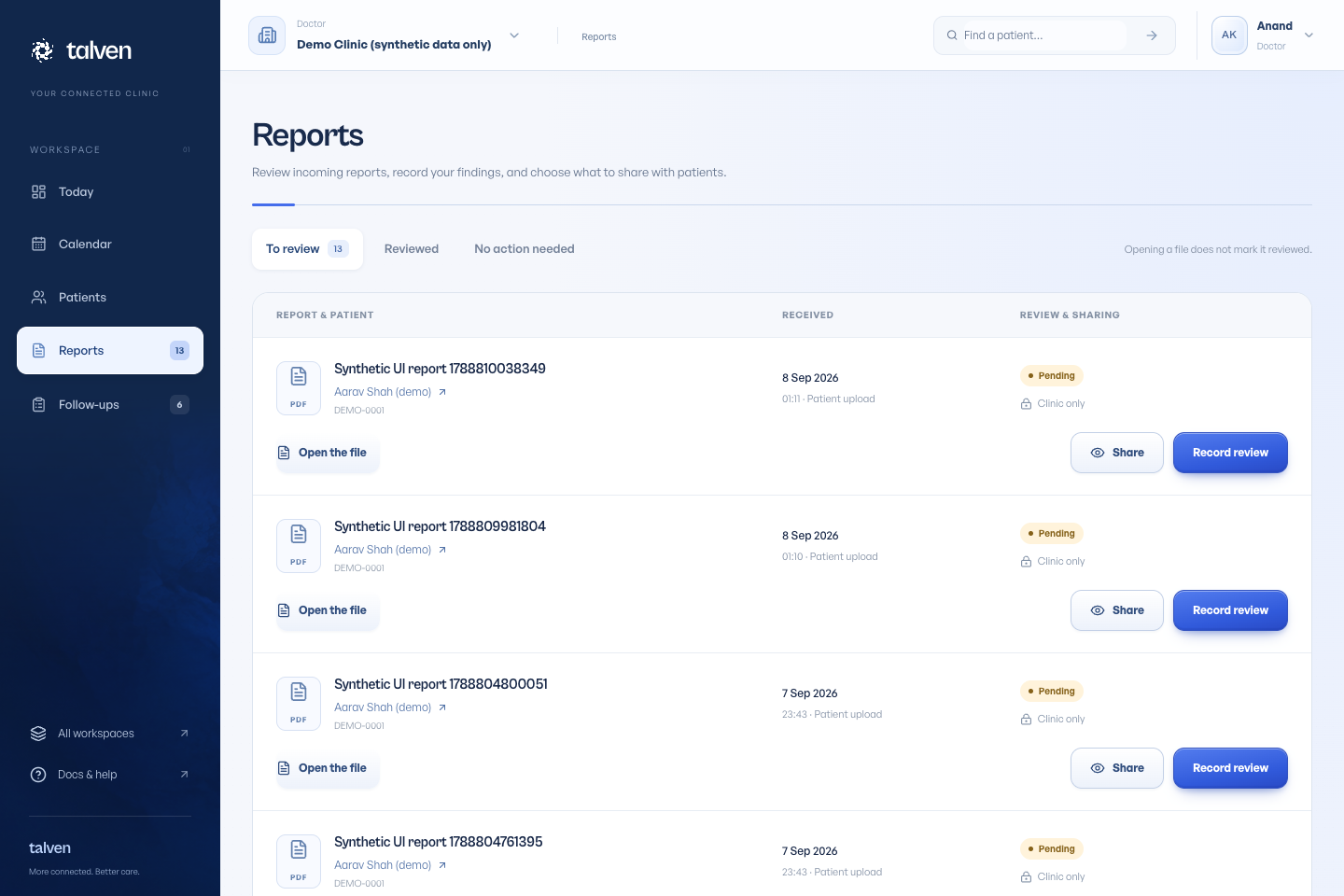
Open Reports and choose To review. Find a report by patient name, patient ID or report title, and filter clinic or patient uploads. Select a report to see its file, patient and sharing status alongside your review form. On a phone, All reports returns to the list.
Open the file to examine it, then choose a review outcome, enter your findings and select Save review. Unfinished notes remain while you switch reports in the same inbox, but are not saved to the patient record until you submit. Save before leaving or reloading the page. Opening a file alone never marks it reviewed.
Decide what the patient can see
Review status and release status are separate. A reviewed report is not necessarily visible to the patient.
Select Share report, then confirm Release to patient when the document is ready to share. The patient portal displays released documents for that patient only.
Patient uploads
Patients can upload a report through their portal. It goes to the clinic for review; the upload itself is not a clinical conclusion.
Use the patient record’s visibility preview to check which documents have been shared.
Check the patient and the sharing status
Before saving a review, compare the document’s patient details with the chart it is attached to. If the file is unclear or appears to belong to someone else, resolve that with the clinic before releasing it. A useful review note states what was reviewed and the next action for your team.
When a patient says a report is missing, check release status as well as review status. The patient visibility preview helps you check what is shared without signing in as the patient. A completed review alone does not make a file visible in the portal.
- Open the file and confirm the patient and report details.
- Record the appropriate review outcome and any useful notes.
- Release the document when it is ready for the patient.
- Check visibility from the patient record if the patient cannot find it.