Find the day you need
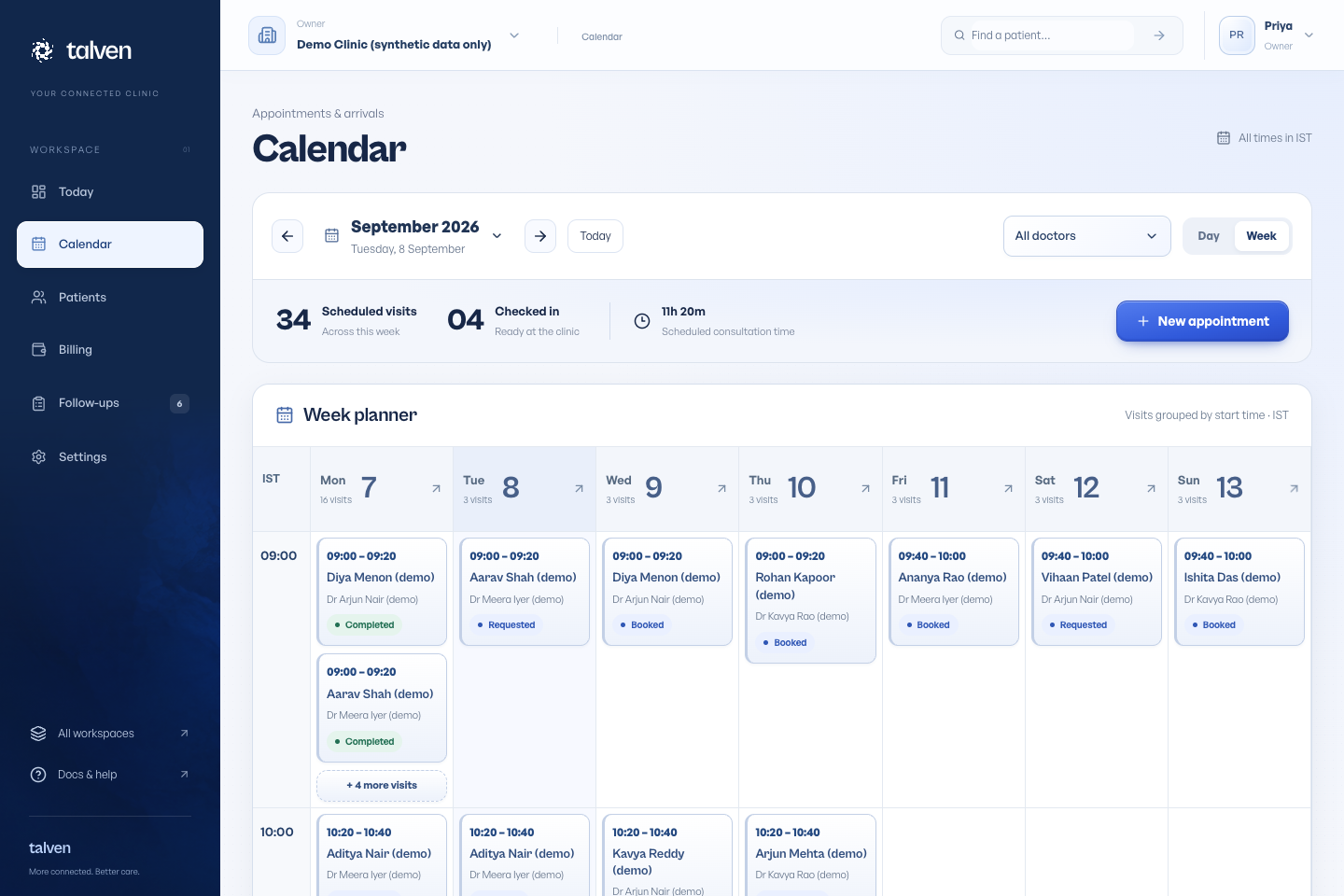
Open Calendar. Use the date picker, previous and next controls, or Today. Switch between Day and Week to change the view.
Times are displayed in the clinic’s timezone. Select an appointment to see its patient, clinician and available actions.
In Day view, choose Cards for a compact appointment list or Timeline to see each doctor’s day. Both the day timeline and week planner extend with the page, so you can scroll normally. On a narrow screen, swipe the timeline sideways to see other doctors.
The timeline shows configured working hours, time away, and available periods long enough for the doctor’s appointment slots. Past times are not labelled available. Hours not set means the doctor needs a working schedule; Not scheduled today means their weekly schedule does not include this day. Existing appointments remain visible even when the schedule changes.
Cancelled and missed visits appear below the calendar for reference. They do not reserve time. Availability is checked again when a booking is saved, so refresh the page after schedule changes made by another team member.
Create a visit
Choose New appointment or Book visit from a patient record. Pick the patient, doctor and an available time, then save.
Once saved, the booking form closes and the calendar highlights the new appointment. Open the appointment to see its complete overview. An Appointment booked notification confirms the patient, date, time and doctor, then disappears automatically. Choose New appointment to make another booking.
The calendar uses the doctor’s configured hours and time away. A conflicting booking is rejected even if two people try to reserve the same slot.
Handle changes
Open Manage appointment (the three-dot button beside the main action) to reschedule or cancel. Check the patient and time before confirming a change.
Patient requests may need staff confirmation, depending on the clinic’s instant-booking setting. A request is not automatically a confirmed visit.
Prepare for the consultation
Open any appointment from Today, the day or week calendar, the patient’s timeline or global search. Check the patient name and record number at the top, then confirm the clinician, date and time. Any recorded allergy remains prominent.
Clinicians can review recent consultations, medicines from the latest signed prescription, recent observations and reports before starting. Confirm current medicine use with the patient; an earlier prescription does not establish what they are taking today. Owners without clinical access see scheduling and patient details without clinical history.
Choose Start consultation to open the existing note, prescription, observations and follow-up tools. If the visit has already started, Resume consultation returns to the same record. Requested appointments must be confirmed first.
Calendar → Appointment → Consultation shows where you are. The Calendar link preserves the date, day or week view and doctor filter used to open the appointment. End consultation marks the visit completed; notes and prescriptions still need their own explicit sign-off. The appointment page displays the saved note and prescription with their own draft or signed status. Choose Review consultation to open the full record, amendments and editing tools.
When the time you need is unavailable
Select the correct doctor and clinic date before checking availability. A time can be absent because it falls outside working hours, overlaps a blocked period, is already occupied or does not have enough room for the appointment duration.
Ask an owner to check Doctors & hours and Time away if the calendar differs from the expected schedule. Refresh availability after a change. If another team member booked the slot while you were choosing it, select a new available time.
Changing working hours or adding leave does not move existing appointments for you. Review the affected date and arrange changes with those patients.