Skip to content
Explore the workspace

The connected clinic

Appointments, records and billing for your clinic.

Give reception, doctors and patients a shared record of each visit. Manage the appointment, consultation, prescription, invoice and follow-up in Talven, with access set by each person’s role.

Demo & early access · Built for outpatient clinics

Illustrative clinic data

Follow the visit, from arrival to next steps

A booking should lead to the right chart, not another round of typing. Reception can find the patient and record arrival; the doctor can open the consultation; authorised staff can prepare the invoice and record payment against the same patient.

  • Day and week schedules with appointment status
  • Consultation notes, medicines and printable prescriptions
  • Reports, follow-up tasks and patient access
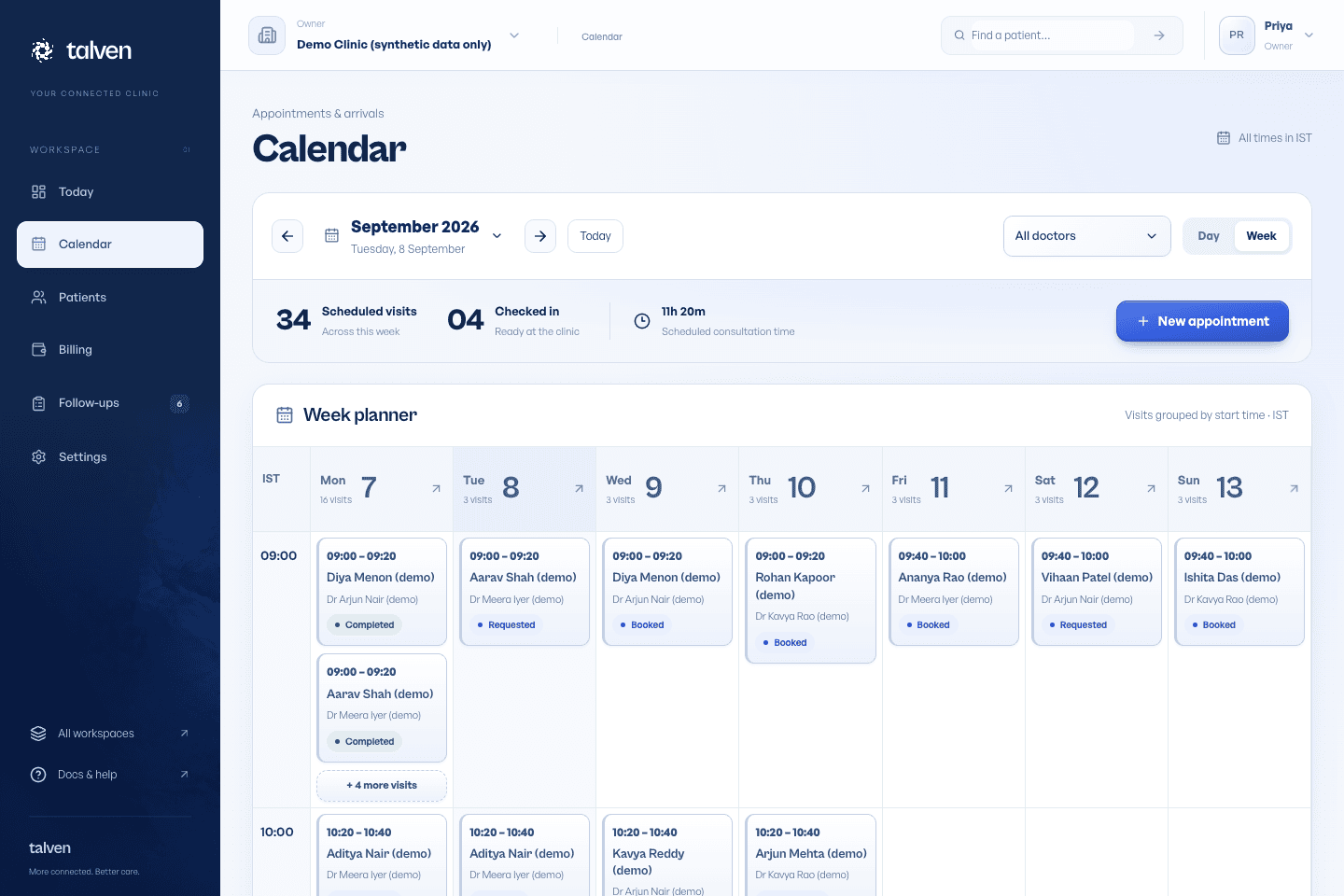
Inside TalvenDEMO CLINIC
Talven week calendar with scheduled visits, check-in counts and individual appointment cards
The current week planner connects the schedule to patient and visit details. Synthetic demonstration records.

Keep responsibilities visible

Each person signs in with an individual account. Reception, doctors and owners have different permissions. A practising owner can combine owner and doctor access, while keeping authorship of clinical work clear.

Clinic membership determines access

Clinicians finalise records and release reports

An invited patient sees only the records shared with them

See how records and access work

Make the first trial a real workflow

Start with synthetic records and ask your team to complete a full visit. Test the printer, the handoff between staff, a returning patient and an outstanding balance before deciding whether Talven fits. Agree any migration work and commercial terms separately.

  • Configure doctors, working hours and consultation charges
  • Rehearse one booked visit and one walk-in
  • Review the setup guide with the people using the system
From the help center

Set up your clinic

From your first sign-in to a clinic ready for its first appointment.

Read the guide

EVALUATE IT FOR YOUR CLINIC

Try a whole OPD visit before you decide.

Use your own working day as the test. Start with fictional records, then decide what fits.

Who it fits

For Indian outpatient clinics where reception, consultation, billing and follow-up need to share a patient record. Start with one clinic and the people who actually handle these handoffs.

Where the scope stops

Talven is not a hospital ERP. Inpatient beds, pharmacy stock, lab-machine integration and offline working are outside the current offering. If one of these is essential, discuss that gap before choosing a pilot.

Before your demo

  • List your doctors, working hours, services and prices. Identify who needs reception, clinical and owner access.
  • Bring a blank prescription format and a fictional patient example. Use a browser with internet access; include the devices and printer your team will use.
  • Agree how existing records will be introduced. Self-service bulk CSV import is not available; confirm migration scope with the team.
Read the setup guide

What to try together

  1. Find or register a patient

    Search by name, partial mobile and patient ID. Confirm identity, then register a new example without completing optional medical details.

  2. Take the patient through the visit

    Book and check in the appointment. Open its full page, review patient history and document a consultation using the clinician’s account.

  3. Finish the work at the desk

    Print a sample prescription, prepare an invoice and record a fictional partial payment. Check the remaining balance and receipt.

  4. Pick up the next step

    Create a follow-up and review a sample report. Confirm that reviewing a document and releasing it to the patient are separate decisions.

PRICING & EARLY ACCESS

Know the scope. Get a written quote.

Talven is in demo and early access. Subscription prices have not been published.

Ask for a written scope covering your clinic, staff access, setup, migration assistance, support and recurring charges. Compare this with the tasks you tested, not just a feature list.

Plans & early access
Request a clinic demo

Frequently asked questions

Ask us a question
Is Talven a hospital-management system?

Talven covers outpatient clinic work. Inpatient wards, pharmacy inventory and hospital ERP workflows are outside its scope. Bring any specialist requirements to the demo.

How much does it cost?

Talven is in demo and early access. Prices have not been announced. Request the scope, onboarding requirements and price in writing before committing.

Does it work without the internet?

Talven is a browser-based application and requires an internet connection. Keep a downtime process for your clinic.

ONE WORKSPACE. FROM FIRST VISIT TO FOLLOW-UP.

Let care
come together.

Request demo access

Currently in demo.
No payment required to apply.