Skip to content
Explore the workspace

Solo & small practices

Run a solo practice from one account.

Register patients, manage appointments, document consultations and print prescriptions. As a practising owner, you can manage the clinic and see patients with the same account.

Demo & early access · Built for outpatient clinics

Illustrative clinic data

Start with the details you have

A walk-in should not wait while someone completes a long chart. Create the patient with their name and available contact and demographic details. Addresses, caregiver contacts and other information can be completed later.

  • Search for an existing patient first
  • Use name, mobile, age or date of birth and sex where available
  • Keep optional details out of the initial registration task
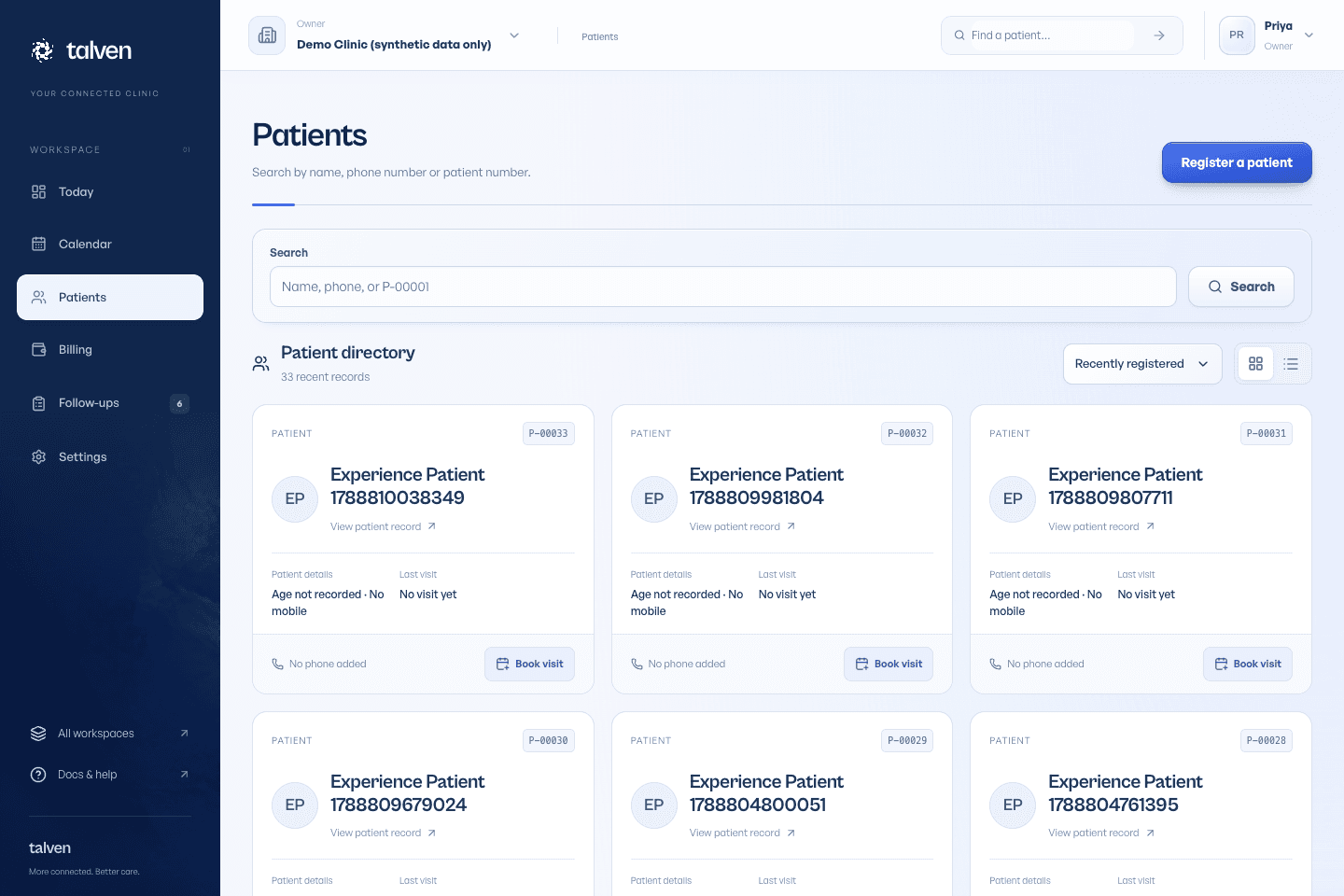
Inside TalvenDEMO CLINIC
Patient directory in Talven with search and patient record details
Find a returning patient before creating another record. Demonstration data.

One account for the practising owner

Choose Owner & doctor when applying for a clinic, or enable clinical access for an existing owner. The owner can manage the clinic and complete consultations without maintaining separate identities.

Manage working hours and consultation prices

Write and finalise clinical notes

Print prescriptions with clinic and doctor details

See how records and access work

Introduce one reliable routine

Start with a limited trial and a clear fallback. Teach reception how to find records and record arrival, then practise the doctor's note and print flow. Check collections at the end of the trial day. Do not assume an entire paper archive must be entered before learning the workflow.

  • Use the illustrated help center during training
  • Agree what history needs to be available for returning patients
  • Discuss migration and price before using live clinic data
From the help center

Be the owner and the doctor

Manage the practice and see patients using one account.

Read the guide

EVALUATE IT FOR YOUR CLINIC

Rehearse the day you run yourself.

Use your own working day as the test. Start with fictional records, then decide what fits.

Who it fits

For solo doctors and small outpatient practices, including a doctor who also owns the clinic. The owner + doctor role combines clinical work and clinic management in one account; a receptionist can use a separate account.

Where the scope stops

This is an online clinic workspace, not an offline desktop application. It does not replace pharmacy inventory or full accounting. If you rely on paper history, plan how to keep that history available during the transition.

Before your demo

  • Choose owner + doctor during clinic setup if you practise there. Prepare your professional name, registration details and weekly working hours.
  • List your usual consultations and additional services. Bring the logo, footer wording and A4 or A5 paper you want to use.
  • Start with fictional records and a small set of daily tasks. Train reception with its own login before using the workflow during clinic hours.
Read the setup guide

What to try together

  1. Handle a walk-in quickly

    Search first, then register name and the available mobile, age or DOB and sex. Leave optional details for later and book the visit.

  2. Switch from owner to clinician work

    Use the same owner + doctor account to maintain services and then document a consultation. Check that no second account is needed.

  3. Find a returning patient

    Use a partial mobile number or a name variation. Confirm the right person and open earlier notes before beginning the next consultation.

  4. Finish before the next patient

    Generate and reprint a sample prescription, record the bill and set a follow-up. Note the steps that would interrupt your own consultation style.

PRICING & EARLY ACCESS

Know the scope. Get a written quote.

Talven is in demo and early access. Subscription prices have not been published.

Describe whether you work alone or with reception, the number of clinic workspaces and any help needed to introduce existing records. Ask for setup and ongoing costs separately.

Plans & early access
Request a clinic demo

Frequently asked questions

Ask us a question
Do I need a separate receptionist account?

A solo practising owner can manage their own clinic and consultations. If someone else works at reception, give them an individual account with the appropriate role instead of sharing the doctor's sign-in.

Can I import a spreadsheet of patients?

Self-service CSV patient import is not currently available. Discuss the existing records and a realistic onboarding approach before choosing a migration date.

ONE WORKSPACE. FROM FIRST VISIT TO FOLLOW-UP.

Let care
come together.

Request demo access

Currently in demo.
No payment required to apply.