Clinical records & reports
The patient’s chart, from notes to reports.
Write consultation notes, record observations and review uploaded reports in the patient’s chart. Finalise clinical records and choose which documents are ready to share with the patient.
Demo & early access · Built for outpatient clinics
Document and finalise the consultation
Clinicians enter their findings and medicines during a visit. Draft work can be edited; finalised clinical records are preserved. Corrections are added as amendments so the history remains understandable.
- Consultation notes linked to a patient and doctor
- Prescription details entered and checked by the clinician
- Append-only changes to finalised clinical records
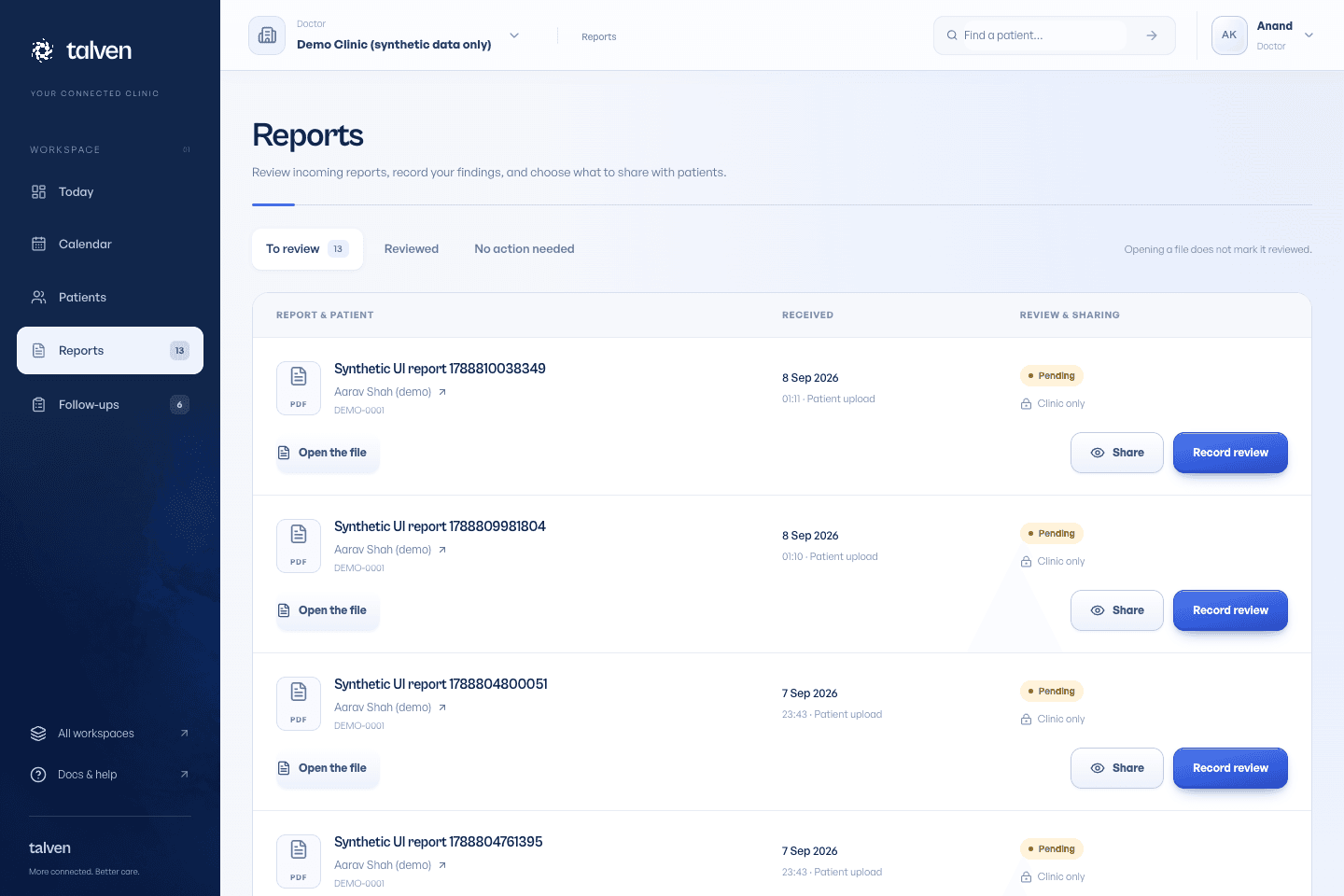
Give incoming reports a clear next step
A file being uploaded does not mean it has been read, and opening it does not record a review. The reports worklist lets clinicians record an outcome and notes. Releasing a document to the patient is a separate sharing decision.
Patient and staff uploads tied to the chart
Review outcomes and optional notes
Release only the intended document to the patient
Keep the scope of the record clear
Talven supports record keeping and clinic coordination. It does not generate diagnoses, recommend treatment or claim certified interoperability with other health systems. Use the demo to check the clinical fields and printing requirements that matter to your practice.
- Private file access checked by the application
- Role-based clinical permissions
- Patient chart export for authorised staff
Review and share reports
Separate uploading, clinical review and patient release.
Read the guideFrequently asked questions
Ask us a questionDoes Talven automatically interpret lab results?
No. Clinicians review reports and enter their own conclusions. Talven does not interpret lab results or suggest diagnoses.
Can patients see my draft notes?
Draft clinical notes and unreleased reports are not included in the patient portal. Review patient visibility and release the documents you intend to share.
ONE WORKSPACE. FROM FIRST VISIT TO FOLLOW-UP.
Let care
come together.
Currently in demo.
No payment required to apply.