Prescriptions & printing
Prescription software, ready for your printer.
Turn the clinician’s medicine entries into an A4 or A5 PDF. Set your clinic logo, header and footer once; include the doctor’s name, registration details and instructions on each prescription.
Demo & early access · Built for outpatient clinics
Set the page up once
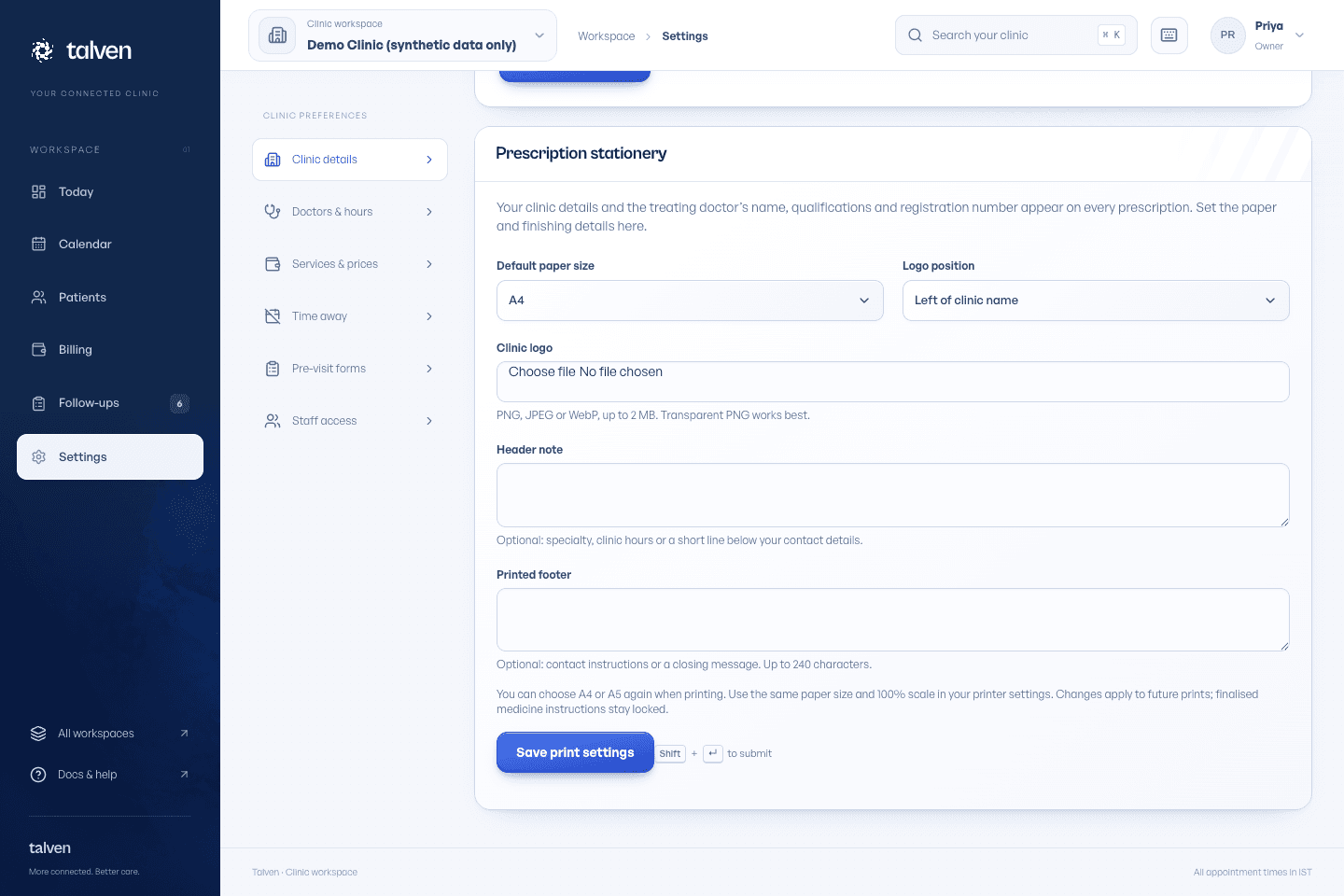
Configure the clinic header, logo and footer, select the paper size and keep the doctor's registration information up to date. Test the output on the clinic's own printer; browser scaling and printer margins can differ between devices.
- Configurable clinic identity and footer
- Doctor name and registration number
- A4 and A5 document layouts
Keep medicine instructions readable
The clinician enters the medicine, strength, dose, frequency, route and duration where applicable. Review those entries before finalising or sharing. Talven formats the document; the doctor remains responsible for the prescription content.
Structured medicine entries
Clear medicine and instruction layout
PDF download for printing or sharing through a clinic-approved channel
Reprint without the dashboard
The prescription PDF is a dedicated document rather than a printout of the application screen. Reopen it for another copy, check the page size and print the intended pages. Use a synthetic prescription to rehearse long instructions and multiple medicines before going live.
- Repeat printing from the generated document
- Check page breaks and long instructions
- Keep finalised clinical history and amendments distinct
Print and share prescriptions
Set up clinic stationery, prepare A4 or A5 prescriptions and fix common printing problems.
Read the guideFrequently asked questions
Ask us a questionDoes Talven choose medicines or doses?
No. The clinician writes and checks the prescription. Talven does not prescribe treatment or provide medication recommendations.
Will it print perfectly on every printer?
Printer drivers, margins and paper settings vary. A4/A5 PDF output is supported, but the clinic should test its printer, logo and usual prescription length before relying on the workflow.
ONE WORKSPACE. FROM FIRST VISIT TO FOLLOW-UP.
Let care
come together.
Currently in demo.
No payment required to apply.