Complete each doctor profile
In Settings → Doctors & hours, add or edit the clinician’s name, specialty, qualifications, registration number and appointment duration.
An invitation connects a login to a profile. A profile created without an invitation can still be scheduled, but does not give someone sign-in access.
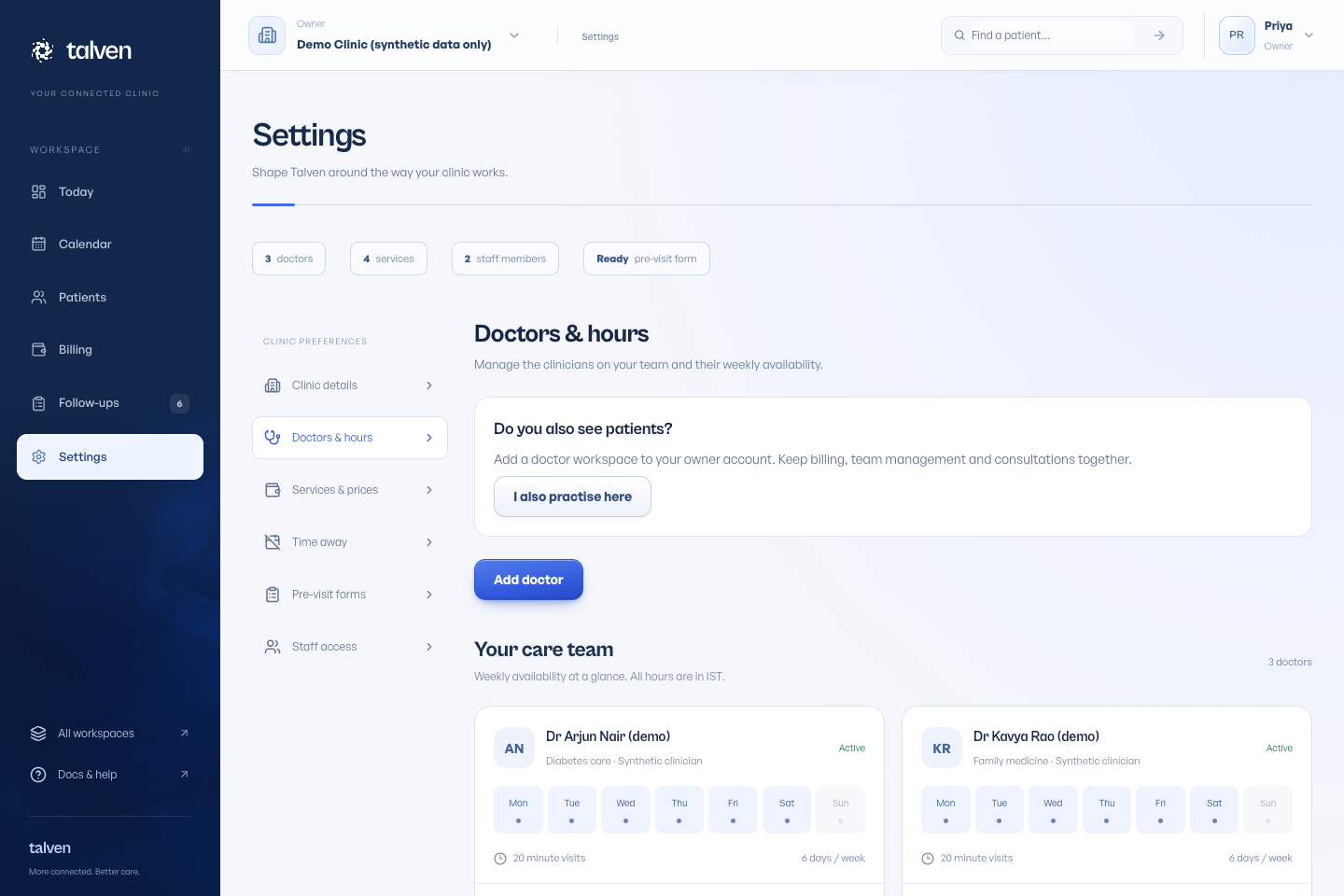
Set a working week
Open the doctor’s working hours, choose the weekdays and time ranges, then save. These hours determine the slots patients and staff can select.
New doctor creation offers Monday–Saturday hours from the start and end times entered. Review them to match the clinic’s real schedule. Profiles created through an Owner & doctor application need hours added after approval.
Add time away
Owners use Settings → Time away; doctors use Time away in their workspace navigation. Choose the start and end in clinic time (IST), add an optional reason and submit. Doctors can request time away only for their own connected profile.
Owner approval is required by default. A pending request leaves appointments available. The owner can approve it or decline with a reason visible to the doctor. The Settings navigation shows how many requests need attention. Confirmed appointments and existing blocked periods must be moved or cancelled before an overlapping period can be approved.
Choose whether doctors need approval
In Settings → Time away, expand Doctor time-away policy. Owners can switch off Require owner approval and save. New doctor requests then block time immediately; requests already pending still need a decision. Owners can always add time away directly.
A doctor can cancel their own pending or approved time away, and the owner can cancel it as well. Cancelling an approved period opens it for booking again. Declined, cancelled and past requests stay in the history. Older blocks appear under Other blocked periods and can be removed by the owner.
If you cannot request time away, ask the owner to connect your login to an active doctor profile. Changing time away never automatically moves or cancels a patient appointment.
Set a split shift or a regular break
Add two working periods for a day when the doctor works a morning and an evening session. For example, use 09:00–13:00 and 16:00–19:00 instead of one continuous 09:00–19:00 period. The gap keeps the afternoon break out of the booking schedule.
Use weekly working periods for a repeating schedule. Use Time away for a one-off absence such as leave or a meeting. Removing all working periods stops new bookings for that doctor; it does not cancel appointments already on the calendar.
- Open the doctor’s working-hours editor.
- Use Add working period for each session and choose its weekday, From and Until values.
- Select Save working hours.
- Open Calendar and check a date on that weekday to confirm the available times.