Skip to content
Explore the workspace

Multi-doctor clinics

Shared patient history. Individual doctor schedules.

Book against each doctor’s availability and keep the patient’s history together. Individual accounts give reception, clinicians and owners access to the work they are responsible for.

Demo & early access · Built for outpatient clinics

Illustrative clinic data

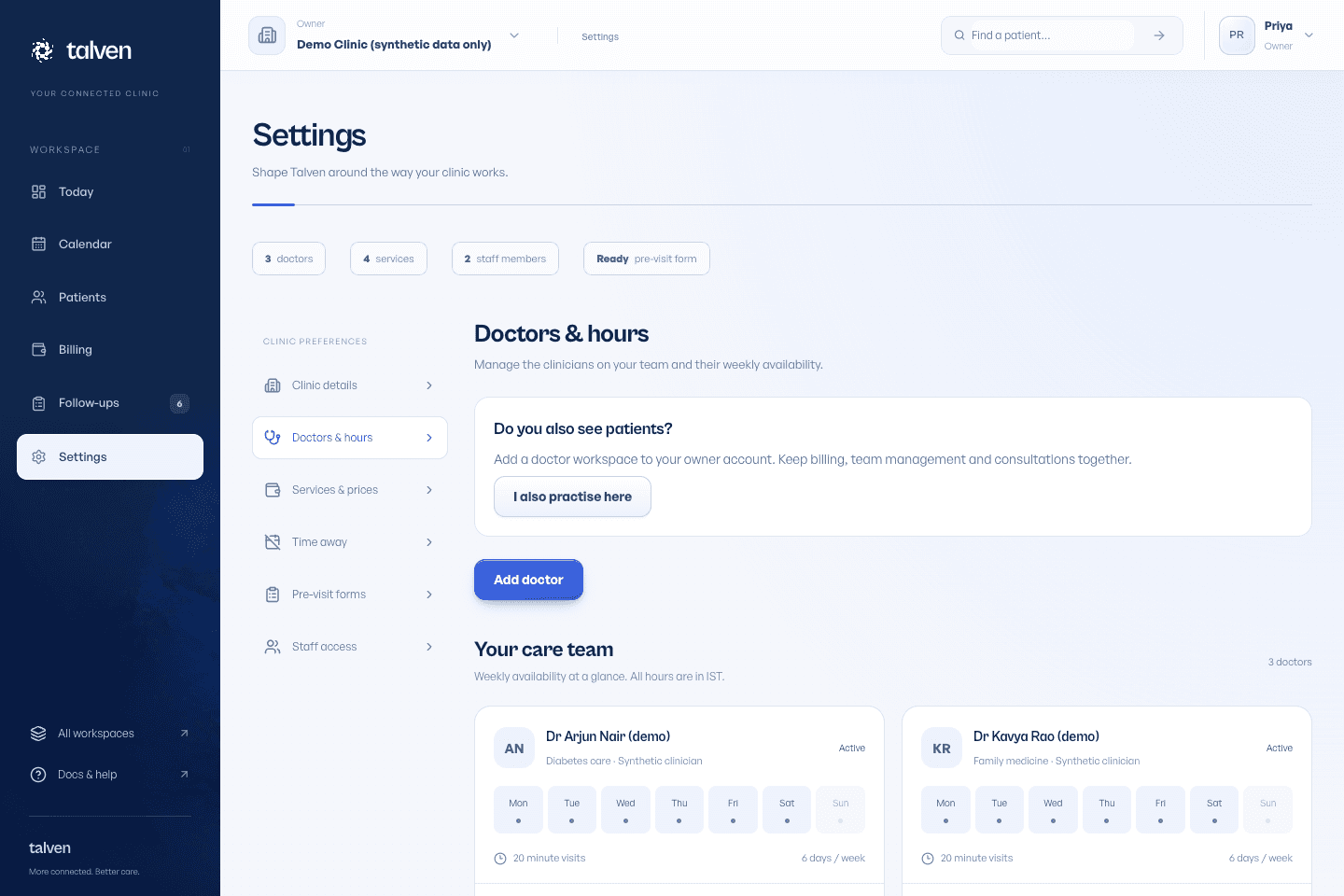
Plan around each doctor's availability

Working hours and time away belong to the relevant doctor. Reception can use the calendar to book or move a visit and check the selected doctor rather than relying on separate paper diaries.

  • Configure doctor working hours
  • Block leave or other unavailable time
  • Keep appointment status visible at handoff
Inside TalvenDEMO CLINIC
Talven doctor settings with working hours and doctor profiles
Doctor profiles and availability are managed within the clinic. Demonstration data.

Share context, preserve authorship

The patient timeline brings visits and associated records together inside the clinic. Clinical notes retain their author and finalised entries are amended through new entries, rather than silently rewritten by another user.

Individual staff accounts and invitations

Clinical actions restricted to the relevant permissions

Reports distinguish uploaded, reviewed and released states

See how records and access work

Check the handoffs before expanding

Rehearse a patient returning to a different doctor, a rescheduled appointment and an invoice with a partial payment. Decide who owns report review and follow-up work when the original doctor is away. Software does not establish that responsibility on its own.

  • Confirm who may see and change each kind of record
  • Review invitations when people join or leave
  • Review collections for the clinic
From the help center

Set doctors, hours and time away

Make the available appointment times match your practice.

Read the guide

EVALUATE IT FOR YOUR CLINIC

Test the handoffs between your team.

Use your own working day as the test. Start with fictional records, then decide what fits.

Who it fits

For outpatient practices with several doctors sharing a clinic, reception and patient history. Each practitioner has an individual schedule and account; an owner can also practise using owner + doctor access.

Where the scope stops

Talven does not provide doctor commission or payroll calculations. Membership in several clinics does not combine their patient databases. Cross-clinic sharing and any external lab or accounting integration need a separate requirements discussion.

Before your demo

  • Prepare each doctor’s invitation email, professional details, visit duration and working hours. Decide who will maintain services and staff access.
  • Set whether doctors’ time-away requests need owner approval. Check existing bookings when planning an absence.
  • Agree who handles incoming reports and follow-ups. Test with separate reception, doctor and owner accounts instead of sharing one login.
Read the setup guide

What to try together

  1. Book across two schedules

    Choose a doctor and an available time, then compare the day and week views. Check different working hours and blocked periods.

  2. Hand a returning patient to a colleague

    Open the same patient record from the second doctor’s permitted workspace. Review the previous consultation and document a new visit with the correct author.

  3. Arrange time away

    Submit a doctor’s absence request. With approval enabled, review it as the owner; verify approved time is unavailable for new bookings.

  4. Check access and follow-through

    Compare what reception and clinicians can do. Record a report review and a follow-up outcome, then check that the next person can understand what happened.

PRICING & EARLY ACCESS

Know the scope. Get a written quote.

Talven is in demo and early access. Subscription prices have not been published.

Include doctor and reception counts, clinic locations, onboarding needs and support expectations in the quote request. Confirm what is included for each clinic and what would require separate work.

Plans & early access
Request a clinic demo

Frequently asked questions

Ask us a question
Can one person belong to several clinics?

Yes. An account may hold memberships in several clinic workspaces. The chosen clinic determines the records available; membership does not automatically pool patient data across clinics.

Does Talven calculate doctor commissions?

Talven does not calculate doctor commissions or payroll. Bring your financial reporting requirements to the demo to check what the collection records cover.

ONE WORKSPACE. FROM FIRST VISIT TO FOLLOW-UP.

Let care
come together.

Request demo access

Currently in demo.
No payment required to apply.