Create the invoice
Open Billing or the billing action on a patient record. Choose a patient and service, use Add another service for more items, and enter quantities. Review every line and the invoice total before selecting Create invoice.
Settings → Services & prices controls the services available to your team. A group’s base charge is shown separately and included once per invoice, even when you select several services from that group.
Set up groups and additional charges
As an owner, open Settings → Services & prices and choose New group. Give it a name and an optional description. Enter its base charge, or use 0 when you want to charge only for the services inside it.
Use Add service to group for the optional items. For example, a Consultation group with a ₹500 base, a ₹200 ECG and ₹100 dressing produces an ₹800 invoice when both extras are selected. Selecting two ECGs adds ₹400 while the ₹500 base stays once. Choose the base-only option at billing for a visit without extras.
Individual services continue to work without a group. Editing a service lets you move it into or out of a group. Marking a group unavailable removes it and its services from new invoices; existing invoices keep their original descriptions and amounts. Changing a price never rewrites a previously issued invoice.
Record what was collected
Record cash, UPI or card payments after collection. Partial payments leave an outstanding balance. Refunds and voids retain their history.
Recording a payment is manual bookkeeping. Talven does not verify a bank transfer or collect online payments for you.
Print or save a PDF
Open the invoice and select Print / save PDF. In the browser dialog, choose a printer or Save as PDF.
The invoice print layout excludes app navigation. Check the logo, patient name, invoice number and totals in the preview. Browser headers and footers are controlled by the browser’s print settings.
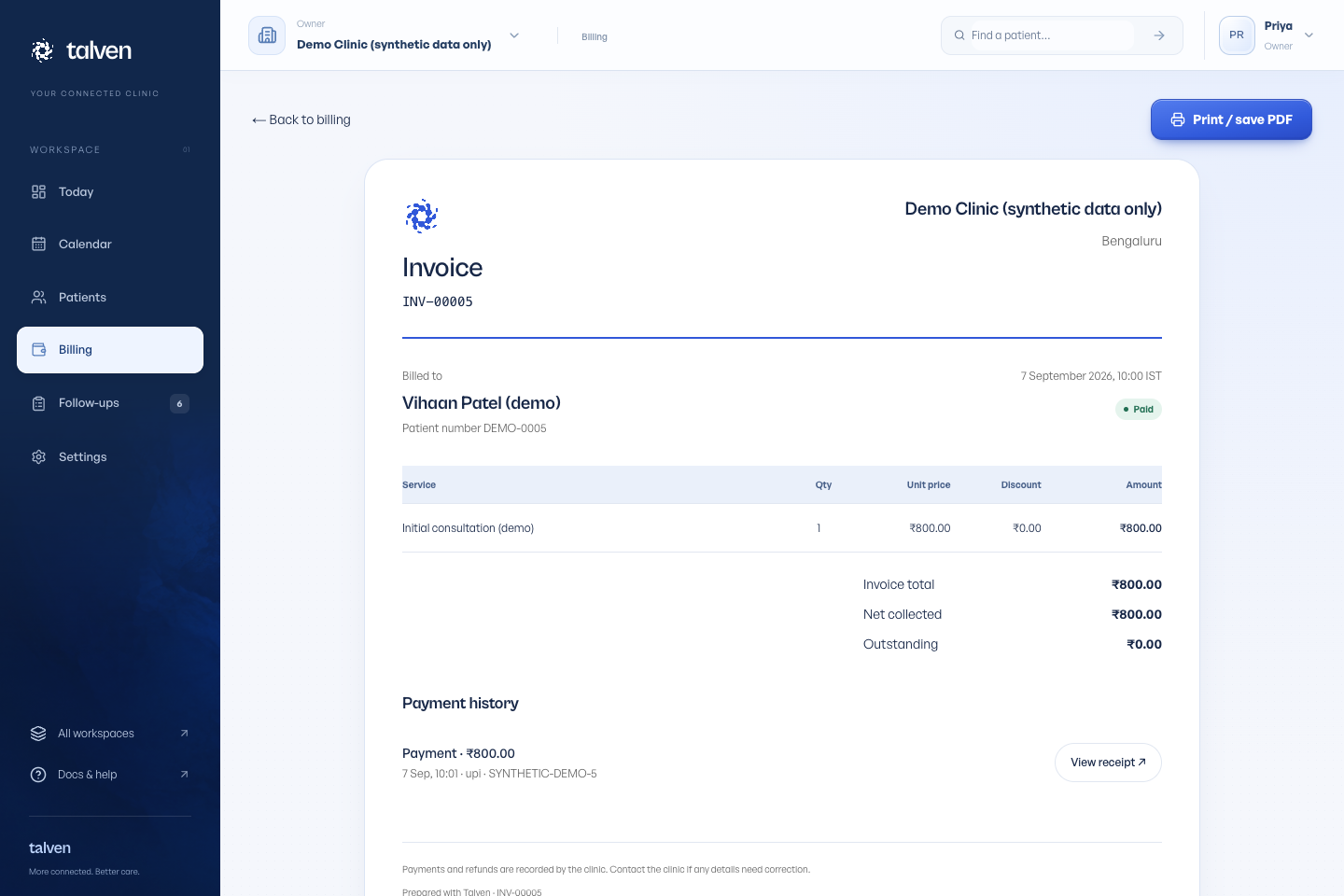
Check an outstanding balance
Compare the invoice total with the net amount recorded as collected. For example, a ₹1,000 invoice with a ₹400 recorded payment has ₹600 outstanding. A recorded refund reduces the net amount collected, so review payment history before recording another payment.
If the patient has paid but the invoice is still open, verify the collection using your clinic’s normal process and then record it once. A browser error after submission is a reason to check the invoice history before retrying; do not assume the payment record is missing.
For a print problem, use Print / save PDF from the invoice itself. Turn off browser headers and footers if you do not want the website address or print date on the paper. Check the preview before printing several copies.